• Use VideoPress (and a lot more) on your self-hosted blog with Jetpack!

    If you have a self-hosted site and use VideoPress for video uploads, you’ve needed to sign up for VideoPress, install the VideoPress plugin, and then sign in to WordPress.com to actually manage and upload video files.

    You can keep doing that if you’d like, but using VideoPress on a self-hosted site is now simpler: we’ve added VideoPress support to the powerful Jetpack plugin. Along with Jetpack’s other impressive features, like social sharing, image optimization, and commenting with integrated social media logins, Jetpack now manages and streamlines your VideoPress account.

    What does it all mean? This:

    • The standalone VideoPress plugin opens WordPress.com media administration tools — so you have to be logged in to WordPress.com to use it.
    • The Jetpack plugin hooks directly into WordPress.com and handles the authentication for you, no separate login required.
    • By making VideoPress part of Jetpack, Jetpack becomes your middleman, allowing you to work with video without being logged in to WordPress.com.

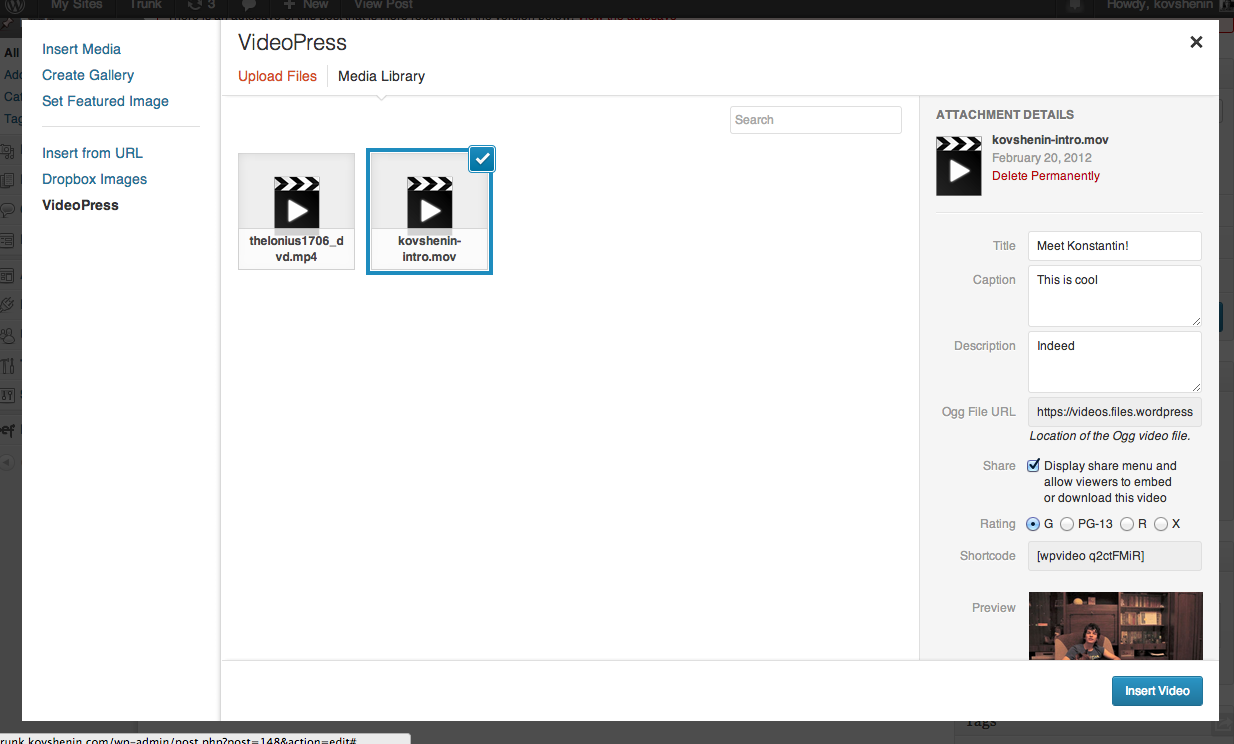
    Now, you can upload and manage videos right from the Media Manager in your dashboard:

    videopress

    Nothing changes for your site visitors, but your job as the administrator just got way easier.

    Going forward, upgrades to VideoPress will all happen through Jetpack, so we encourage you to install it now and disable your stand-alone VideoPress plugin. Check out the new VideoPress support document for more detail!

    0.000000 0.000000

    Michelle Weber

    October 10, 2013
    Plugin
    Jetpack, plugins
  • VideoPress + Jetpack = Using VideoPress on Your Self-Hosted Site is About to Get Easier

    Right now, if you’re using the VideoPress plugin on your self-hosted WordPress blog, you have to be signed in to your WordPress.com account to actually upload and work with your videos — not a huge deal, but not as streamlined as it could be.

    Coming soon, that’s going to change: VideoPress is joining the Jetpack family, and will use the Jetpack API for authentication. (Yet another reason to install Jetpack if you haven’t already!)

    What does this actually mean? In a nutshell:

    • The current VideoPress plugin just provides you with an iFrame that opens up the WordPress.com video administration tools. You have to be logged in to WordPress.com to use it, and so do any other people who want to upload videos to your site.
    • The Jetpack plugin hooks into WordPress.com, giving your self-hosted site access to sweet .com features like social sharing and tiled media galleries without having to be constantly logged in to WordPress.com. Jetpack takes care of all the authentication for you, so you can focus on your site.
    • By making VideoPress part of Jetpack, we give it that same ability . You’ll be able to upload and work with video without being logged in to WordPress.com, because Jetpack will be your middleman.

    Not only will this simplify the process of using VideoPress, it will also allow us to integrate VideoPress with the spiffy new Media Manager that shipped with WordPress 3.5:

    videopress screenshot

    If you use the VideoPress plugin, be sure to install Jetpack so you can take advantage of these improvements. Keep an eye on this blog and on the Jetpack Blog, and be the first two know when the VideoPress/Jetpack marriage is finalized!

    Michelle Weber

    March 22, 2013
    Plugin
    Jetpack
  • VideoPress plugin for WordPress 1.5: HTML5 video, faster performance, improved compatibility

    The VideoPress plugin for WordPress now includes dynamic support for HTML5 <video> playback on devices incapable of Flash playback. Your videos are directly inserted onto your webpage alongside your other content: no iframes or other secondary content embeds necessary. The new VideoPress plugin for WordPress delivers faster load times, better playback experiences on more devices, and delivers even more accessibility and search engine friendly features.

    HTML5 video

    HTML 5 badge: Semantics and Multimedia supportVideoPress automatically detects the playback capabilities of each website visitor and serves the most appropriate video player based on those capabilities, your publisher settings, and custom attributes you may specify with each shortcode. Visitors capable of Flash playback will see the VideoPress Flash player complete with HD switching and share options. Visitors capable of HTML5 <video> playback of MP4 (H.264, AAC) or Ogg (Theora, Vorbis) will see a browser-native HTML5 <video> player and controls.
    VideoPress videos are first-class citizens of your webpage with support for custom layout, styling, and playback events tracked by your existing analytics providers. VideoPress will automatically light up third-party analytics software with support for HTML5 media events.

    Authors can opt-out of the new dynamic player and force Flash by including shortcode attribute flashonly=true. Freedom-loving authors and publishers may continue to include only Freedom-loving formats through their site’s media settings or by including shortcode attribute freedom=true.

    Faster load times

    The VideoPress plugin for WordPress now includes a lightweight video preview before activating a full video player in response to a visitor’s click or touch. This two-stage approach delivers improves website load times and general responsiveness.

    Search engine friendly

    The VideoPress preview also provides more descriptive on-page markup for your videos, helping search engines and screen readers better understand your video content. Videos with associated transcripts, such as WordPress TV, include WebVTT data for display by supporting browsers.

    Technical notes

    The VideoPress plugin for WordPress supports WordPress 3.0 or later, including cache-awareness for multisite installs. Publishers who have customized their CSS around past VideoPress Flash markup will want to adjust their theme for the new video preview markup. We recommend clearing your site cache, if applicable, to take advantage of the new player. The VideoPress dynamic player chooses the best player at runtime, avoiding the need for a separate page cache for HTML5-capable browsers. The VideoPress plugin for WordPress integrate well with your existing cache setup.

    37.775944 -122.412796

    Niall Kennedy

    August 21, 2011
    Plugin
  • VideoPress plugin for WordPress update

    A new version of the VideoPress plugin for WordPress is now available. The latest release improves page assembly time, adds support for HTML5 Ogg Theora/Vorbis playback, increases the minimum version of Flash required for video playback, and includes autoplay support. We recommend all users upgrade their plugin through their blog’s administrative dashboard to take advantage of these new features, speed, and improved stability.

    Communication between your WordPress blog and VideoPress servers now uses a slimmer data response encoded as JSON. Information about each video is cached locally on your server, reducing the time needed to build page markup.

    VideoPress WordPress plugin Freedom blog-level setting

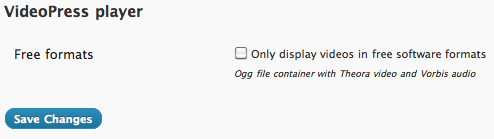
    Self-hosted WordPress blogs can limit video playback to free video formats unrestricted by known patent claims or intellectual property licensing hurdles. Set the Freedom level of all VideoPress videos via a blog setting or for individual videos via a shortcode parameter. Simply toggle the “Free formats” option under your blog’s media settings to display all VideoPress videos using an Ogg file container with Theora video and Vorbis audio. You may display individual videos in Free software formats by adding freedom=true to your VideoPress shortcode.

    The VideoPress plugin for WordPress now supports initiating video playback once the video object is loaded onto your page. Add a shortcode parameter autoplay=true to enable autoplay for individual videos. The shortcode parameter affects both Flash and HTML5 video playback options. Videos with restrictions, such as adult-rated content or embed privacy settings, will not autoplay.

    Advanced WordPress users may alter Flash parameters used by VideoPress for each video. Add a new filter action for the video_flash_params filter to customize style elements such as window mode or background color. Altering your Flash parameters may break playback so be careful.

    The minimum Flash version required to display our OSMF Flash player is 10.0.0. This value is now reflected in the SWFObject handlers included on each video page.

    37.775944 -122.412796

    Niall Kennedy

    October 6, 2010
    Plugin
 

Loading Comments...